BP20
This is a simple, neutral wireless control panel for our electric actuator system for adjustable residential furniture such as recliners, sofas, and beds. The control is mounted into the furniture, providing the look of a wired integrated panel without the problems that come with cables. Its neutral design also means that it can be integrated seamlessly into most designs.- Intuitive
- Integrated panel
- Wireless
BP20
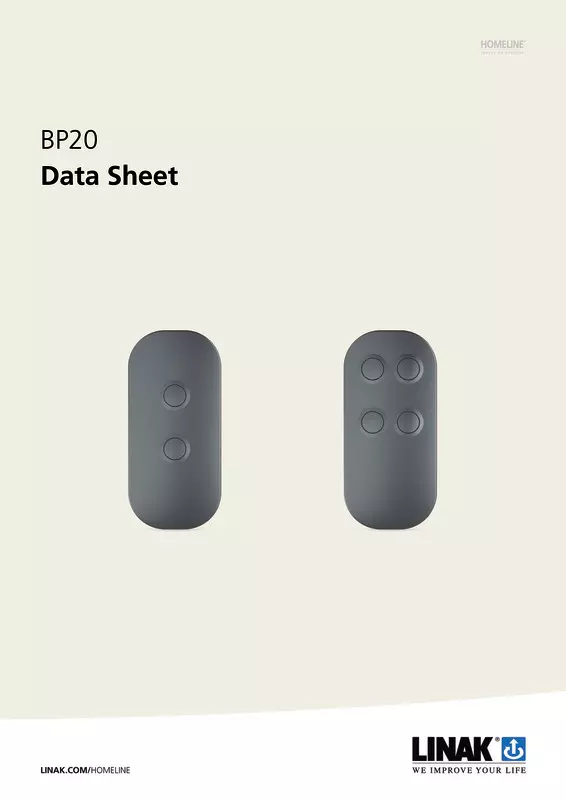
The BP20 is a wireless integrated control panel designed for electric actuator systems in adjustable residential comfort furniture such as recliners, sofas, lift chairs, and beds. With its simple, understated design, soft edges, and tactile buttons, the BP20 blends seamlessly into a wide range of furniture styles.
Available in standard two-button and four-button versions, the BP20 is mounted directly into the upholstery, creating the appearance of a fully integrated wired control panel. However, because the control panel operates wirelessly on battery power, there are no cables to route, conceal, or manage during furniture design and assembly.
By removing the limitations of cables, the BP20 gives furniture designers greater freedom to position the control panel exactly where it best complements the user experience and overall design. The result is a clean, integrated look combined with easy installation and great flexibility throughout the design process.
Like all other residential controls, this control panel can also be customized to support your brand identity. From button layouts and colors to visual design elements, manufacturers can tailor it to match specific furniture collections and create a cohesive user experience.
Whether used in adjustable recliners, sofas, lift chairs, or beds, the BP20 combines intuitive operation, seamless integration, and enhanced design freedom in a single wireless solution.


BP10
Hand control
Elegant and discreet wireless control unit for recliners. The unit holder is designed to be integrated into the furniture, securing the unit with a magnet. This ensures freedom of design for your furniture.
- Intuitive
- Easy to fit into your design
- Wireless connection
LA10
Linear actuators
Compact and discreet linear actuator ideal for furniture, such as adjustable beds and pedestal recliners where space is limited. Serially connect actuators to eliminate a control box, reduce the number of cables, and thereby minimize the risk of cable-related quality issues.
- Max. load: 3,500 N
- No control box required
- Modular and intelligent: connects in series
Charging Point
Accessories
These are multiple versions of our innovative and elegant charging point for pedestal recliners. All versions of the charging points, CP001, CP002, and CP003, are designed to guide the user and prevent both damage to the plugs or personal injury, should the cable become caught in something.
- Plug for power cable
- Discreet and user-friendly
- Multiple versions
BA002
Accessories
The BA002 is a compact battery for electric adjustable recliners which is optimized for shipping and storage. It comes with integrated deep sleep mode, which means that it will not reach deep discharge during longer periods of not being used. It is compatible with the other LINAK recliner products such as, for example, the LA10 and BP10.
- Deep sleep mode
- Up to 100 cycles/charge
- Designed to mitigate consequences in the unlikely case of cell failure
Bluetooth dongle
Accessories
Bluetooth® Low Energy unit creating wireless connection between the electric actuator system in pedestal recliners, and the application’s control panel. Simply plug into either of the system’s actuators.
- Ensures wireless control
- Compact
- Easy to use
Recliners
LINAK actuator systems for recliners are easy to integrate into almost any design. The system components are small and easy to ‘hide’ inside your design. Configuration is made simpler than ever before, allowing you to make it fit your unique design. In addition, several innovative details will give your movement system a significant quality boost.
Recliner sofas
Actuator systems for electric recliner sofas enable adjustment of sofas at the touch of a button. Serial connection with plug and play, a limited number of cables, and a wireless control mean the systems are easy to integrate into almost any design.
Comfort beds
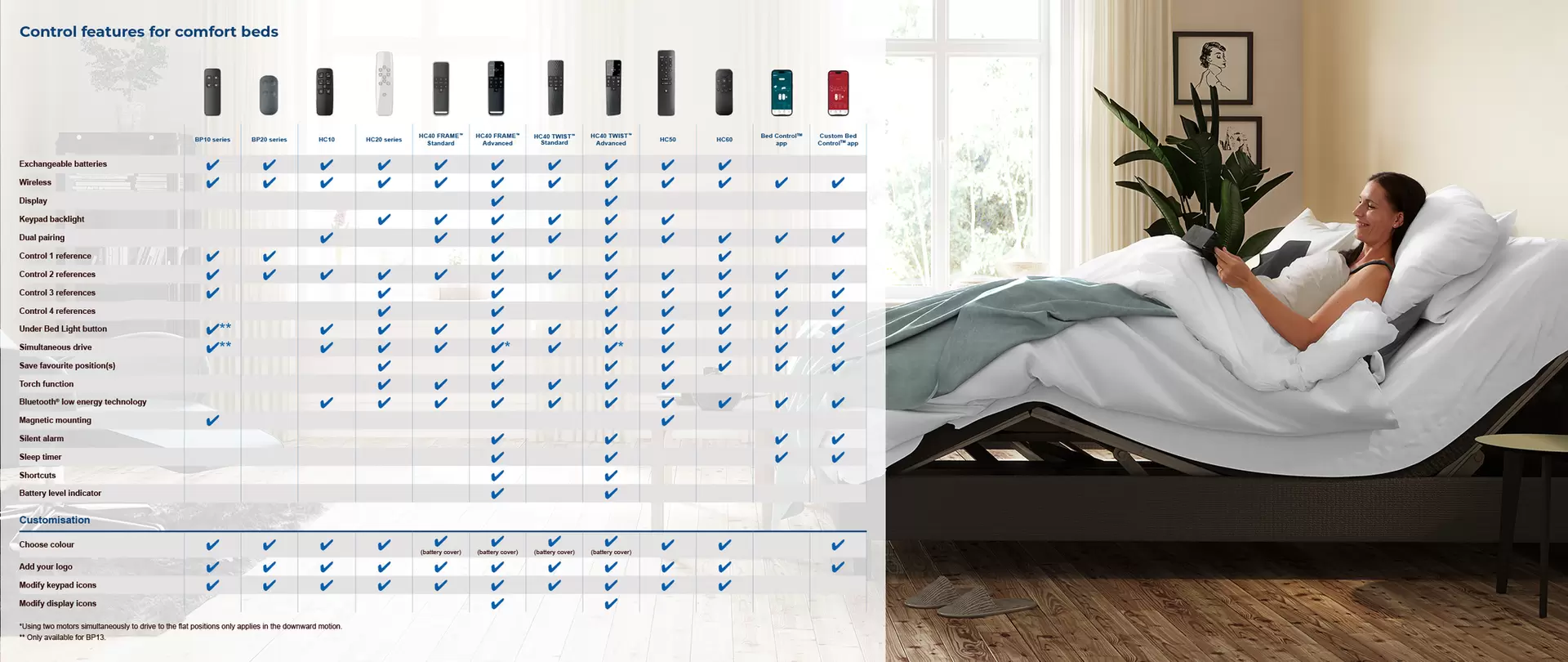
LINAK actuator systems enable manufacturers to offer a wide range of smooth adjustment solutions for motorized comfort beds.


Frequently asked questions
Find out how to change the batteries in the BP20 integrated control panel for adjustable residential furniture. This will focus on the process after it was mounted in a piece of upholstered furniture such as a recliner chair or a bed.
To replace the batteries you will need,
- One of the BP20 integrated controls
- One CR2032 battery
Follow these steps:
- Remove the front cover. Click the cover loose in all 4 corners to make it easy to remove.
- Use a small screwdriver to slide under the battery and flip it up.
- Take out the old battery and dispose of it in a proper manner in accordance with local law and recommendations.
- Insert a new CR2032 battery. Start by pushing the edge of the battery under the two small metal pins.
- Click the front cover back on.
For more information about the LINAK recliner system, please visit the recliner application page.
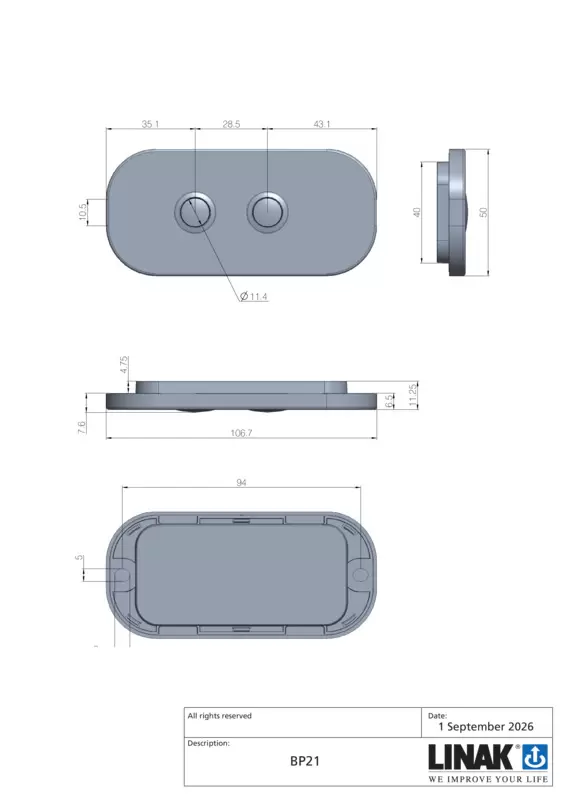
Find out how to mount the BP20 integrated control panel for adjustable residential furniture in a piece of upholstered furniture, such as a recliner chair or a bed equipped with a LINAK actuator system.
You will need:
- BP20—either version
- a screwdriver
- 2 screws
- Decide where you want to mount the control on the furniture. In most cases, there will be a hole intended for the control.
- Remove the battery lid from the control. Click each corner loose before lifting the front cover upward. You will see two holes.
- Place the control in the recliner or bed where you want it to go. Use the screws to mount it securely.
- When the BP20 is mounted securely, click the top part back into place.
For more information about the LINAK Recliner system, please visit the recliner application page.
Learn where you can mount the integrated control panel BP20 in recliners or adjustable beds with LINAK® actuator systems.
Because the BP20 control panel is a wireless integrated control panel, there is no cable to consider when mounting it. Therefore, it can be mounted anywhere practical and within the user’s reach.
Usually, a furniture manufacturer will have prepared an indentation in the foam and upholstery to give a clean look when the control is mounted.
For more information about the LINAK Recliner system, please visit the recliner application page.
